Cloud hosting no longer has to start with a monthly bill. Students, developers, freelancers, startups, and people experimenting with AI can now build and deploy real projects using free cloud hosting services before paying for larger infrastructure.
The useful part is not simply getting free hosting. Modern cloud platforms can provide static site hosting, serverless functions, databases, Git-based deployment, APIs, custom domains, SSL, analytics, storage, and scalable infrastructure from the same ecosystem.
The important part is choosing the right platform for the project. A portfolio does not need the same infrastructure as a Node.js API, and an AI application may need completely different resources from a React website.
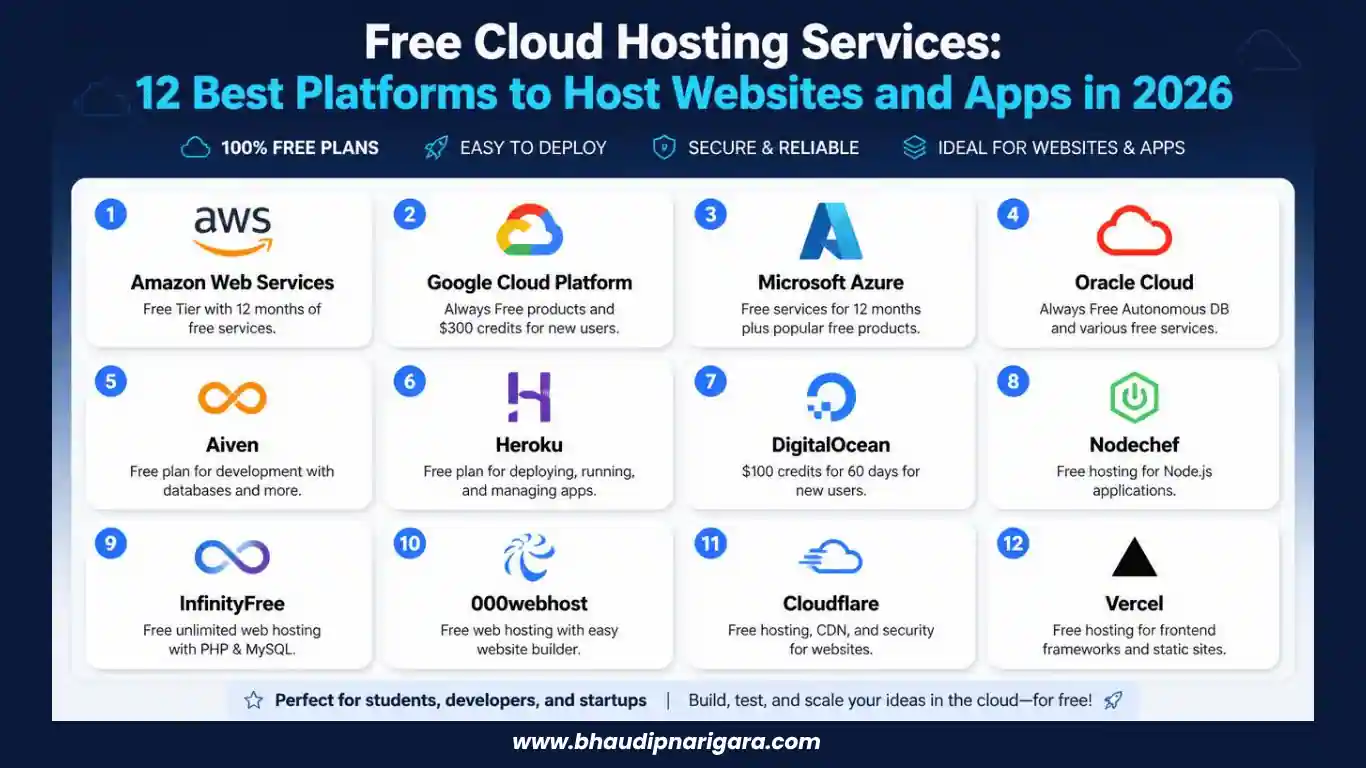
This guide covers what free cloud hosting is, who should use it, what to check before choosing a service, 12 useful platforms, additional free tools, open-source alternatives, and what to do when a project grows beyond the free tier.
Free Cloud Hosting Comparison
| Platform | Free Option | Best For | Backend | Database | Custom Domain | Beginner Friendly |
|---|---|---|---|---|---|---|
| Google Cloud | Trial + Free Tier | Cloud learning, AI, full stack | Yes | Yes | Yes | Medium |
| AWS | Credits + free services | Professional cloud skills | Yes | Yes | Yes | Medium |
| Azure | Free services/trial options | Microsoft ecosystem | Yes | Yes | Yes | Medium |
| Render | Free selected services | Backend and full stack | Yes | Yes | Yes | High |
| Vercel | Free personal tier | Next.js and frontend | Serverless | External/integrations | Yes | High |
| Netlify | $0 Free plan | Static and frontend | Serverless | Integrations | Yes | High |
| Hugging Face Spaces | Free options | AI/ML demos | Limited | External | Yes/plan dependent | High |
| Replit | Free Starter option | Learning and prototypes | Yes | Yes | Available by plan | Very High |
| Railway | $0 plan with credits | Backend and databases | Yes | Yes | Yes | High |
| GitHub Pages | Free | Static sites | No | No | Yes | Very High |
| Cloudflare Pages | Free | Static and edge apps | Functions | Integrations | Yes | High |
| Firebase | Spark plan | App backends and frontend | Managed services | Yes | Yes | High |
What Are Free Cloud Hosting Services?
Free cloud hosting services let you deploy websites, applications, APIs, databases, or development projects without paying an upfront hosting fee.
Instead of renting a fixed server, cloud environments generally allocate resources such as compute, storage, bandwidth, databases, functions, and networking according to the needs of an application.
Most free hosting platforms use one of three models.
Some provide an ongoing Free Tier with monthly usage limits. Others provide free trial credits for a limited period. A third group offers selected services permanently at no cost while charging for additional resources.
For example, Google Cloud currently gives eligible new users $300 in Welcome credit for 90 days while also providing selected Free Tier products within monthly usage limits.
This makes free cloud hosting useful for much more than simple HTML pages. Depending on the provider, developers can host frontend projects, backend services, full-stack apps, databases, APIs, machine learning demos, and serverless applications.
How Does Free Cloud Hosting Work?
A free cloud hosting provider normally gives your account a defined amount of infrastructure.
You connect a Git repository or upload your project, select the framework or runtime, configure environment variables, and deploy the application.
Platforms such as Vercel and Netlify focus heavily on automated deployment from Git. Platforms such as Render and Railway can also run persistent backend applications, databases, and web services.
Larger cloud providers such as AWS, Microsoft Azure, and Google Cloud expose much broader infrastructure. Instead of simply choosing “host website,” you can work with virtual machines, storage systems, managed databases, APIs, networking, serverless functions, containers, and AI services.
The free part always comes with limits. These may involve bandwidth, build minutes, CPU time, RAM, storage, function requests, database usage, or the number of projects.
That is why free cloud hosting should be treated as usable infrastructure with boundaries, rather than unlimited hosting.
Why Use Free Cloud Hosting Services?
Reduce Initial Hosting Costs
If you are learning, testing an idea, creating a portfolio, or building a small project, there is little reason to purchase expensive infrastructure immediately.
A free tier lets you validate whether the application actually needs more resources before spending money.
Learn Real Deployment Skills
Running code locally and deploying it publicly are different skills.
Cloud hosting introduces you to Git deployment, DNS, custom domains, SSL, environment variables, logs, databases, APIs, build processes, and production configuration.
These are useful skills even when the project itself is temporary.
Build Portfolio Projects
A GitHub repository proves that you wrote code. A working live application shows that you know how to deploy it.
Students and junior developers can use free cloud platforms to publish portfolio websites, React apps, APIs, dashboards, AI tools, and other demonstrations without maintaining their own server.
Experiment Before Choosing Paid Infrastructure
Moving an existing production system between cloud providers can become complicated.
A free tier lets developers test deployment workflows, performance, integrations, and limitations before choosing a long-term provider.
Launch Small Apps Quickly
Many small applications simply do not need expensive infrastructure.
A static website, internal utility, landing page, documentation site, prototype, personal project, or low-traffic API may remain within free limits for a considerable period.
Who Should Use Free Cloud Hosting?
Students
Students can learn deployment without adding another recurring cost. GitHub Pages, Render, Vercel, Netlify, Replit, and cloud-provider free programs can all be useful depending on what is being built.
Beginner Developers
Beginner-friendly platforms remove much of the server configuration that normally comes with traditional hosting.
Connecting GitHub and clicking Deploy is much easier than manually configuring Linux, Nginx, SSL certificates, process managers, and deployment pipelines.
Frontend Developers
Frontend developers working with React, Next.js, Astro, Vue, Nuxt, SvelteKit, or static websites have particularly strong free options.
Vercel, Netlify, Cloudflare Pages, and GitHub Pages are among the easiest places to start.
Backend Developers
Backend developers usually need more than static hosting.
Render, Railway, Replit, AWS, Azure, and Google Cloud are more appropriate when a project needs Node.js, Python, databases, APIs, workers, or persistent server processes.
Freelancers
Freelancers can use free hosting to demonstrate concepts, publish temporary staging projects, show client prototypes, or host their own portfolio.
Client production websites should still be moved to suitable paid infrastructure when reliability, support, backups, or predictable performance becomes important.
Startups
A free tier can reduce experimentation costs during the earliest development stage.
Once customers and meaningful traffic arrive, infrastructure decisions should be based on reliability and scalability rather than simply remaining free.
AI and Machine Learning Developers
AI developers can use platforms such as Hugging Face Spaces, Replit, Google Cloud, AWS, and Azure to experiment with models, APIs, chatbots, Streamlit interfaces, and machine learning applications.
Hobby Developers
If you are building something simply because you want to learn or experiment, free hosting is often enough to get the project online.
What to Check Before Choosing Free Cloud Hosting
The word “free” should not be the only deciding factor.
Free Tier Limits
Check whether the service is permanently free, credit based, or only available during a trial.
AWS is a good example of why old articles should not be trusted blindly. AWS changed its Free Tier in July 2025. Eligible new customers can now receive up to $200 in credits under a free account plan lasting up to six months, rather than relying only on the older 12-month model frequently mentioned online.
Storage and Bandwidth
Static sites generally consume little compute but can still use considerable bandwidth when they contain many images, videos, or downloads.
Backend Support
GitHub Pages can host static content, but it cannot replace a backend application server.
Make sure the provider supports the runtime your application requires.
Database Support
Look for PostgreSQL, MySQL, Redis, NoSQL, or another database suitable for your application.
Serverless Functions
Serverless functions are useful when a frontend application needs smaller pieces of backend logic without maintaining a full server.
Custom Domains
A custom domain makes a project look considerably more professional than a default platform subdomain.
SSL
HTTPS should be standard for any public project. Most modern deployment platforms automatically issue SSL certificates for connected domains.
Git Integration
GitHub, GitLab, and Bitbucket integrations make deployment easier because pushing new code can automatically trigger a new build.
Scalability
A platform that works beautifully for 50 visitors may become expensive or restrictive at 50,000 visitors.
Understand what happens after the free limits are reached.
12 Best Free Cloud Hosting Services in 2026
1. Google Cloud Platform (GCP)
Google Cloud Platform is one of the broadest options on this list because it is a complete cloud environment rather than only a website host.
Developers can access compute, APIs, storage, databases, serverless products, AI tools, networking, containers, and machine learning services.
Eligible new customers currently receive $300 in free Welcome credit that can be used during a 90-day Free Trial. Google also maintains a Free Tier covering selected products within monthly limits.
This makes GCP useful for a student who wants to move beyond simple hosting and learn how real cloud environments operate.
It is also useful for AI projects. A chatbot, machine learning model, API, or full-stack app can gradually incorporate additional Google Cloud services as requirements grow.
Best for: students, AI projects, cloud learning, APIs, backend systems, full-stack applications.
2. Amazon Web Services (AWS)
Amazon Web Services remains one of the most important platforms for learning cloud infrastructure.
AWS covers virtual machines, serverless computing, databases, storage, networking, containers, machine learning, AI/ML APIs, monitoring, security, and hundreds of other services.
Its current Free Tier is different from the older AWS program many tutorials still describe. New eligible customers can receive $100 in credits when opening an account and earn another $100 by completing eligible activities, giving up to $200 in credits. The free account plan can run for up to six months or until available credits are exhausted.
AWS is not the simplest option when all you want is a portfolio site. It becomes much more valuable when your goal is understanding real-world cloud environments.
Best for: cloud engineering, backend developers, enterprise-style infrastructure, APIs, AI/ML experimentation.
3. Microsoft Azure
Microsoft Azure competes directly with AWS and Google Cloud.
It provides VMs, databases, serverless services, storage, networking, developer tools, analytics, AI products, and integrations with the wider Microsoft ecosystem.
Azure is particularly relevant for developers who expect to work with Microsoft technologies or businesses already using Microsoft services.
The platform is much broader than a normal free hosting provider, so beginners should start with one service rather than attempting to understand the entire Azure ecosystem at once.
Best for: .NET developers, students, Microsoft ecosystems, cloud learning, enterprise development.
4. Render
Render is one of the more approachable platforms for developers who want to move beyond frontend-only hosting.
It supports static sites, web services, PostgreSQL databases, key-value instances, and applications built with technologies such as Node.js, Python, and Rails.
Render currently offers free instances for selected service types, including web services, PostgreSQL databases, Key Value instances, and static sites. Render itself recommends free instances for hobby projects, testing, and learning rather than production applications.
This distinction matters.
A free Render backend is useful for learning or demonstrating an application. A commercial application that needs guaranteed availability should use appropriate paid infrastructure.
Best for: backend APIs, hobby apps, Node.js, Python, Rails, databases, full-stack applications.
5. Vercel
Vercel is one of the most natural choices for modern frontend development.
It has particularly close integration with Next.js while also supporting React and other popular frontend frameworks.
A frontend developer can connect a Git repository, import a project, configure required environment variables, and have a live application available within minutes.
Vercel’s infrastructure includes global delivery, preview deployments, serverless functionality, analytics, and tools intended for modern web applications.
For a static portfolio, frontend application, or Next.js application, the deployment experience is considerably simpler than manually configuring a traditional server.
Best for: Next.js, React, frontend development, serverless projects, portfolios, modern web apps.
6. Netlify
Netlify is another strong option for the modern frontend stack.
It supports deployment from Git or API, custom domains with SSL, functions, global CDN delivery, deploy previews, file storage, and related development services.
Netlify currently offers a $0 Free plan with 300 monthly credits and a hard usage limit. When the limit is reached, projects can pause until the next billing cycle unless the account is upgraded.
That makes the platform suitable for smaller experiments, static websites, blogs, portfolios, marketing sites, and frontend applications.
Netlify also supports serverless functions, making it possible to add backend logic without maintaining a traditional backend server.
Best for: static websites, Jamstack projects, portfolios, marketing sites, frontend development.
7. Hugging Face Spaces
Hugging Face Spaces takes a different approach from traditional hosting providers.
It is designed around machine learning demos and AI applications.
Developers can publish interfaces built with tools such as Gradio and other supported technologies alongside models hosted within the Hugging Face ecosystem.
This is particularly useful when you have trained or connected a machine learning model and need an accessible interface to demonstrate it.
Hugging Face also offers paid compute and a Pro account when projects require more resources. Its current PRO account is listed at $9 per month and includes additional Spaces and compute-related benefits.
Best for: AI apps, machine learning models, Gradio projects, AI portfolios, model demonstrations.
8. Replit
Replit combines browser-based development and deployment in the same environment.
Instead of configuring a development environment locally, users can write code, build applications, work with AI-assisted tools, and publish projects directly from the browser.
The current Starter plan provides monthly cloud usage credits and allows one free published app. Those credits can be used for services including databases, object storage, AI integrations, and publishing.
The main advantage for beginners is convenience.
You can move from an idea to a working public project without setting up as many separate development tools.
Best for: beginners, students, quick prototypes, small applications, coding experiments.
9. Railway
Railway is popular with developers who want a clean interface for deploying backend and full-stack applications.
It supports services, databases, deployment from source repositories, environment variables, networking, and templates.
Railway currently has a $0 Free plan that provides $1 of resource credit per month. New Trial users can also receive a one-time $5 credit. The Hobby plan costs $5 per month and includes $5 of monthly resource usage.
Railway works particularly well when a project needs a backend, database, or service that would not fit comfortably on static hosting.
Best for: small apps, PostgreSQL, APIs, backend services, prototypes.
10. GitHub Pages
GitHub Pages is one of the simplest ways to publish a static website directly from a GitHub repository.
It works well for personal pages, project pages, developer portfolios, documentation, HTML/CSS/JavaScript projects, and static site generators.
The main advantage is direct GitHub integration. Your repository contains the code and can also become the source for the live website.
GitHub Pages is available for public repositories with GitHub Free. GitHub also documents a soft bandwidth limit of 100 GB per month and a published-site size limit of 1 GB.
There is one important restriction: GitHub specifically says Pages should not be treated as free hosting for an online business, e-commerce site, or commercial SaaS service.
Best for: documentation, personal sites, portfolios, open-source projects, static websites.
11. Cloudflare Pages
Cloudflare Pages is an excellent alternative for frontend and static deployment.
It connects with Git repositories and distributes site assets through Cloudflare’s global network.
React, Next.js, Hugo, and other popular frameworks can be deployed through Pages.
Cloudflare currently allows up to 500 builds per month on its Free plan. The Free plan supports up to 100 custom domains per project and up to 20,000 files per Pages site.
Static asset requests are free and unlimited, while Pages Functions share request limits with Cloudflare Workers.
That combination makes Cloudflare Pages particularly attractive for static sites expected to receive meaningful traffic.
Best for: static websites, frontend projects, globally distributed sites, portfolios, documentation.
12. Firebase Hosting
Firebase Hosting is a natural option for developers already working within Google’s Firebase ecosystem.
Firebase can combine hosting with Authentication, Firestore, Cloud Storage, analytics, crash reporting, messaging, and other application services.
The no-cost Spark plan does not require payment information and includes free usage quotas for selected Firebase products, including Hosting. Firebase also offers the Blaze pay-as-you-go plan when an application needs higher usage or additional paid services.
Firebase becomes particularly useful for frontend and mobile applications that need authentication, databases, and other backend services without building everything from scratch.
Best for: web apps, mobile backends, authentication, frontend hosting, Firebase projects.
Best Free Cloud Hosting for Different Use Cases
| Use Case | Recommended Platforms |
|---|---|
| Static websites | Cloudflare Pages, Netlify, GitHub Pages |
| React projects | Vercel, Netlify, Cloudflare Pages |
| Next.js | Vercel |
| Backend APIs | Render, Railway, AWS |
| Node.js applications | Render, Railway, Replit |
| Python applications | Render, Replit, Google Cloud |
| Full-stack apps | Render, Railway, Firebase |
| AI projects | Hugging Face Spaces, Google Cloud, AWS |
| Student projects | GitHub Pages, Render, Replit, Vercel |
| Portfolio websites | GitHub Pages, Netlify, Vercel, Cloudflare Pages |
| Databases | Render, Railway, Firebase |
| Learning enterprise cloud | AWS, Google Cloud, Azure |
There is no single best platform for every project.
Vercel can be excellent for a Next.js frontend but unnecessarily restrictive for a traditional persistent backend.
GitHub Pages is extremely simple for documentation but cannot replace a Node.js server.
AWS offers enormous flexibility, but it can be unnecessarily complicated when the only requirement is publishing a basic portfolio.
Choose based on the architecture rather than platform popularity.
More Free Hosting Tools Worth Trying
The 12 services above cover most common requirements, but several additional tools deserve attention.
GitLab Pages
GitLab Pages works similarly to GitHub Pages and is useful when your repositories and CI/CD workflow already live on GitLab.
It is particularly suitable for static websites, documentation, and project pages.
Oracle Cloud
Oracle Cloud has historically offered free and trial resources across selected cloud services.
It can be useful for developers who specifically want virtual-machine-style infrastructure rather than frontend deployment platforms.
Always check the current availability and regional restrictions before starting a project.
Koyeb
Koyeb focuses on deploying web applications, APIs, containers, and services through a developer-friendly workflow.
It can be worth comparing with Render and Railway for small backend applications.
Deno Deploy
Deno Deploy is designed for JavaScript and TypeScript workloads built around the Deno ecosystem.
It can work particularly well for edge functions, APIs, and lightweight server-side applications.
Surge
Surge provides an extremely simple command-line workflow for publishing static websites.
It is useful when you want to take an HTML, CSS, or JavaScript directory and put it online quickly.
PythonAnywhere
PythonAnywhere is built specifically around Python development and hosting.
It is useful for learning Python web development, Flask, and similar projects without managing an independent server.
Streamlit Community Cloud
Streamlit Community Cloud is particularly useful for data applications, dashboards, machine learning demonstrations, and Python-based AI tools built with Streamlit.
It is often one of the quickest ways to turn a Python data project into an interactive web interface.
Codeberg Pages
Codeberg Pages provides static hosting connected to repositories within the Codeberg ecosystem.
It is worth considering for developers interested in open-source and community-oriented alternatives.
What About Glitch?
Glitch appears in many older lists of free hosting providers, but it should no longer be recommended as a current hosting platform.
Glitch ended project hosting on July 8, 2025.
If you find an older article recommending Glitch for Node.js hosting or real-time app deployment, check the publication date before following the instructions.
Render, Railway, Replit, Cloudflare, or another actively maintained platform will be a better choice in 2026.
What About Fly.io?
Fly.io is still useful infrastructure, particularly when developers want to deploy applications close to users across multiple regions.
However, its old free allowances are now legacy benefits. Fly.io states that those free allowances apply to organizations that were already on qualifying older plans. New organizations generally operate under usage-based pricing and require a credit card.
For that reason, Fly.io is worth knowing about, but it should not be presented as a universal free hosting provider for new users in 2026.
Free and Open-Source Cloud Platforms
Hosted free tiers are only one side of cloud computing.
Developers and organizations that have their own servers can build private clouds using free and open-source cloud platforms.
OpenStack
OpenStack is a full-fledged open-source cloud platform covering compute, storage, networking, identity, images, orchestration, and other infrastructure components.
It is commonly used when organizations want private clouds rather than depending entirely on AWS, Azure, or Google Cloud.
OpenStack is powerful, but it is far more complex than Vercel or Render.
It should be viewed as infrastructure software rather than simple free website hosting.
Apache CloudStack
Apache CloudStack is an open-source IaaS cloud management platform.
Organizations can use it to deploy and manage virtualized infrastructure through their own data centers.
OpenNebula
OpenNebula provides another open-source approach to private cloud and edge infrastructure.
It is often considered lighter than very large OpenStack deployments while still supporting full cloud environments.
Eucalyptus
Eucalyptus became known for providing AWS-compatible private cloud software.
Its underlying idea remains useful when considering hybrid cloud scenarios and private AWS alternatives.
These technologies are best suited to infrastructure engineers, companies, labs, universities, and organizations with access to their own hardware.
Container Orchestration and Self-Hosted PaaS
Developers who already have a VPS or server can also create their own deployment platform.
Kubernetes
Kubernetes has become the de facto standard for open-source container orchestration.
It manages containers across clusters and provides features for scheduling, scaling, service discovery, networking, configuration, and recovery.
It is extremely powerful but unnecessary for many small projects.
Rancher
Rancher provides Kubernetes management through a more approachable interface.
It becomes useful when multiple clusters or teams need centralized management.
CapRover
CapRover is a self-hosted PaaS designed to simplify application deployment.
It can turn a VPS into something closer to a private Heroku-style platform.
Dokku
Dokku provides a lightweight PaaS built around Docker and Git push deployment.
Developers who like the simplicity of Heroku but want control of their own server often find Dokku attractive.
Coolify
Coolify is another open-source Heroku alternative.
It can deploy websites, databases, services, and Docker-based applications on infrastructure you control.
For freelancers or agencies maintaining several projects, a self-hosted platform can eventually become more economical than maintaining many separate hosting accounts.
Free AI/ML and Data Services
Cloud hosting becomes particularly interesting when combined with AI and machine learning services.
Hugging Face
Hugging Face provides models, datasets, Spaces, Transformers, Diffusers, and a large open-source AI ecosystem.
It is one of the easiest places to publish a model demonstration.
ClearML
ClearML is an open-source MLOps platform designed around experiment tracking, data handling, model deployment, and machine learning workflows.
Kubeflow
Kubeflow provides a Kubernetes-native ML stack.
It is designed for training pipelines, experiments, model serving, and machine learning workflows running on Kubernetes infrastructure.
MLflow
MLflow focuses on model management and machine learning lifecycle workflows.
It can help teams track experiments and manage models across different environments.
Haystack
Haystack is a framework for building RAG, QA, search, and NLP apps.
It can be combined with open LLMs, vector DBs, APIs, and other AI infrastructure.
Open-Source Storage and S3 Alternatives
Hosting applications is only part of infrastructure. Projects often need independent object or file storage as they grow.
MinIO
MinIO provides high-performance, open-source, S3-compatible object storage.
Applications written for S3-style APIs can use MinIO in self-hosted environments.
SeaweedFS
SeaweedFS provides a scalable distributed file system designed for storing large numbers of files efficiently.
Ceph
Ceph provides reliable distributed storage supporting block, object, and file storage.
It is much heavier than a simple storage bucket but useful for organizations building serious private infrastructure.
How to Choose the Right Free Cloud Hosting Service
Start with the architecture of the project.
If the project contains only HTML, CSS, and JavaScript, use GitHub Pages or Cloudflare Pages.
If you are building React, Vue, Astro, or another modern frontend, Vercel and Netlify make deployment easy.
For Next.js, Vercel is usually the most natural starting point.
If you need a persistent Node.js or Python backend, consider Render or Railway.
For an AI model or machine learning demonstration, Hugging Face Spaces can remove a great deal of setup.
If your goal is learning professional cloud infrastructure rather than simply publishing an application, start with AWS, Google Cloud, or Azure.
Avoid choosing AWS simply because large companies use it. Likewise, do not choose Vercel simply because deployment is easy.
The correct platform is the one whose infrastructure matches your application.
How to Deploy Your First Website on Free Cloud Hosting
Although every provider uses a different dashboard, the basic process is usually similar.
Step 1: Create Your Project
Build your website or application locally and make sure it works before attempting deployment.
Step 2: Push the Code to Git
Create a GitHub, GitLab, or another supported repository and upload your project.
Step 3: Choose a Hosting Provider
Match the platform with the application.
For example:
React or Next.js: Vercel
Static HTML site: Cloudflare Pages or GitHub Pages
Node.js API: Render or Railway
AI demo: Hugging Face Spaces
Step 4: Connect the Repository
Authorize the cloud platform to access your repository and select the project you want to deploy.
Step 5: Configure the Build
The provider may automatically detect the framework.
Otherwise, provide the build command and output directory manually.
Step 6: Add Environment Variables
Never place private API keys, database passwords, or secrets directly inside public source code.
Store them using the environment-variable system provided by the hosting platform.
Step 7: Deploy
Start the deployment and watch the build logs.
If the build fails, the logs normally reveal whether the problem involves packages, environment variables, framework configuration, or build commands.
Step 8: Test the Live Application
Do not assume that a successful deployment means everything works.
Test forms, APIs, authentication, database operations, mobile responsiveness, redirects, and important user flows.
Step 9: Connect a Custom Domain
Once the project is stable, connect your own domain and confirm HTTPS is active.
What Happens After You Reach the Free Tier Limit?
This depends heavily on the provider.
Some platforms pause the application.
Netlify, for example, uses a hard monthly limit on its Free plan. Projects pause after available credits are exhausted and resume in the next billing cycle unless the user upgrades.
Firebase behaves similarly for certain Spark-plan quotas. When the no-cost quota for a product is exceeded, use of that product can be shut off until the next billing cycle unless the project is upgraded.
Other platforms may begin charging when billing is enabled.
Cloud providers can be particularly important here because multiple services may generate independent costs.
Before launching anything that could suddenly receive traffic, configure budget alerts and understand the billing rules.
Tips to Get the Most From Free Cloud Hosting
Use static hosting whenever a backend is unnecessary.
Compress images before uploading them.
Store large files in appropriate object storage.
Enable caching.
Avoid unnecessary database requests.
Use a CDN where available.
Delete abandoned applications and unused resources.
Set cloud billing alerts.
Keep secrets outside source code.
Monitor bandwidth and resource usage.
Use Git for deployments.
Separate frontend, backend, database, and storage when doing so improves efficiency.
Do not host important client production systems on infrastructure that explicitly says its free tier is intended for testing.
Most importantly, read the current pricing page before deploying. Free tiers change frequently, and limits quoted in older tutorials can become inaccurate.
Conclusion
Free cloud hosting services make it possible to go from code on a local machine to a publicly accessible application without immediately purchasing infrastructure.
The best platform depends on what you are actually building.
Vercel, Netlify, Cloudflare Pages, and GitHub Pages are particularly convenient for frontend and static websites. Render and Railway provide more flexibility for backend and full-stack applications. Hugging Face Spaces is useful for AI and machine learning projects, while Replit keeps coding and deployment approachable for beginners.
AWS, Google Cloud Platform, and Microsoft Azure require more learning, but they provide experience with real-world cloud environments and infrastructure that extends far beyond simple website hosting.
Start with a free tier while the project is small, understand its limits, and move to paid infrastructure when reliability, traffic, or business requirements justify the cost.
Frequently Asked Questions
Is free cloud hosting really free?
Yes, but usually within defined limits. Providers may restrict bandwidth, compute, storage, database usage, build time, or requests. Some services provide permanent free tiers, while others provide temporary trial credits.
Which free cloud hosting is best for beginners?
Vercel, Netlify, GitHub Pages, Cloudflare Pages, Replit, and Render are among the easier platforms for beginners because they simplify deployment and server management.
Which platform is best for a static website?
Cloudflare Pages, Netlify, GitHub Pages, and Vercel are strong options for static websites.
GitHub Pages is especially simple for personal projects and documentation, while Cloudflare Pages provides attractive global delivery and generous static asset handling.
Can I host a full-stack website for free?
Yes, depending on resource requirements.
Render, Railway, Firebase, Replit, and some cloud-provider free tiers can support full-stack applications. You may also host the frontend and backend on different services.
Can I host Node.js applications for free?
Platforms such as Render, Railway, and Replit can support Node.js applications within their current free or credit-based limits.
Which free hosting supports Python?
Render and Replit are beginner-friendly choices for Python applications. Google Cloud, AWS, and Azure also support Python through several cloud services.
Which platform is best for React and Next.js?
Vercel is particularly well suited to Next.js and React.
Netlify and Cloudflare Pages are also strong options for modern frontend projects.
Can I connect a custom domain with free hosting?
Many providers allow custom domains on free plans, including Vercel, Netlify, GitHub Pages, Cloudflare Pages, Firebase, and Render.
Always check the current plan restrictions before choosing a provider.
Can I get a free database with cloud hosting?
Yes.
Services such as Render, Railway, and Firebase provide database options with free allowances or credits. Limits differ considerably, so check storage, connection, and retention policies before relying on them.
Is free cloud hosting suitable for business websites?
It can work for testing or very small projects, but important production websites should not be hosted solely because the infrastructure is free.
Businesses generally need predictable uptime, backups, support, security, and enough resources to handle unexpected traffic.
Which free platform is best for AI projects?
Hugging Face Spaces is one of the easiest platforms for publishing AI and machine learning demos.
Google Cloud, AWS, and Azure are more appropriate when the project requires broader AI infrastructure, APIs, GPUs, storage, or production-scale cloud services.
What happens when the free tier expires?
The result depends on the provider.
A service may stop the application, pause specific resources, ask you to upgrade, or begin charging if billing has already been enabled.
Check those rules before deployment rather than after reaching the limit.
Can free hosting handle real website traffic?
Yes, particularly for optimized static websites.
Dynamic applications depend more heavily on CPU, RAM, database usage, function requests, and other limits.
Traffic capacity should therefore be evaluated based on the actual architecture.
Is AWS or Google Cloud better for students?
Both are useful.
AWS provides broad exposure to technologies widely used in professional cloud environments, while Google Cloud offers a strong combination of general cloud infrastructure, data services, and AI tools.
The better choice depends on what the student wants to learn.
When should I move from free to paid hosting?
Upgrade when the project becomes important enough that downtime, performance limitations, resource restrictions, or missing support would create a real problem.
Free hosting is an excellent place to start. It does not need to remain the permanent destination.